Facility Pro: your lounge, run like a club
Leagues and tournaments in every format, real simulator handicaps, a weekly contest that runs itself, records boards, a TV leaderboard and members who pay in the app — all scored from a photo of the scorecard, with nothing installed on your bays.
One price for the whole facility. No per-bay fees, no per-player fees.
More rounds booked, less work at the desk
Fills the quiet hours
Leagues run on a play-on-your-time window, so members book a bay whenever it suits them — Tuesday at 2 pm counts as much as Thursday night.
Gives members a reason to come back
A handicap that moves, a weekly course to beat, records with their name on them and a leaderboard on the wall.
Takes the money for you
League and tournament fees are paid by card in the app, into your own Stripe account. Nobody chases anybody.
Runs without staff
No scores to type, no spreadsheets, no handicap math. Your staff take a look; the system does the rest.
A week at a Facility Pro lounge
Seven pictures of the real thing. Use the arrows, or swipe.
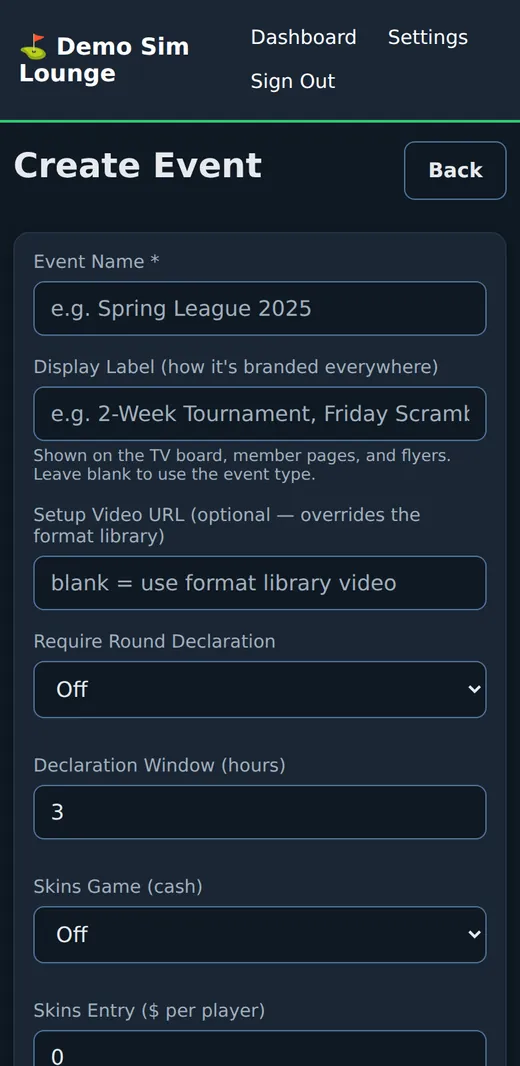
You create the league
Pick the style — league, tournament, team league, scramble, best ball, alternate shot, shamble, mixed format, match play or Ryder Cup — set the weeks, the price and the rules. The handicap allowances for each format are filled in with the USGA's own numbers, and you can change them.
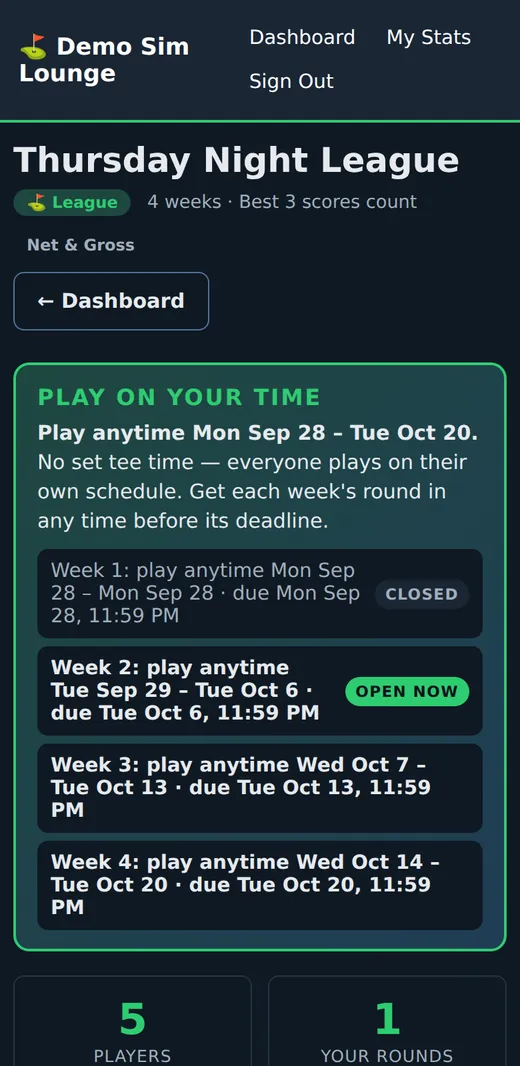
Members sign up and play on their time
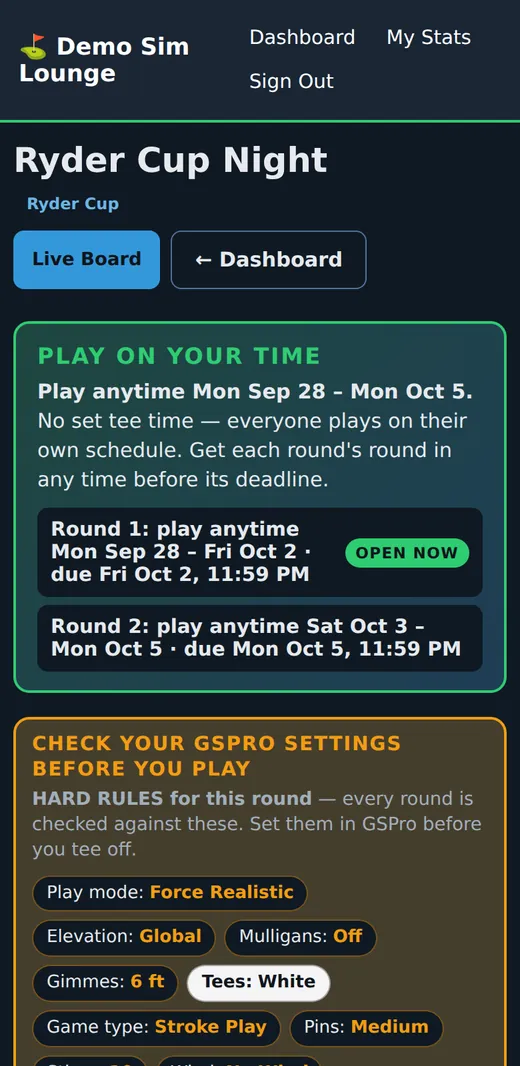
They join from their phone, pay the fee, and see exactly when each week opens and closes. The GSPro settings the round must use are shown before they tee off.
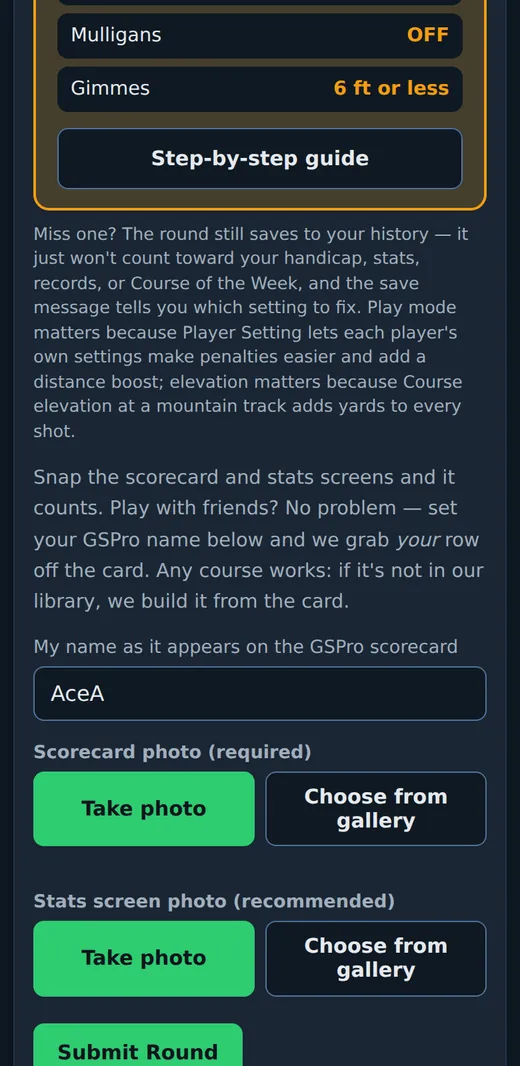
Two photos after the round
The scorecard and the stats screen. Take them then, or choose them from the gallery later. Playing with friends? Each member's own row is picked off the same card.
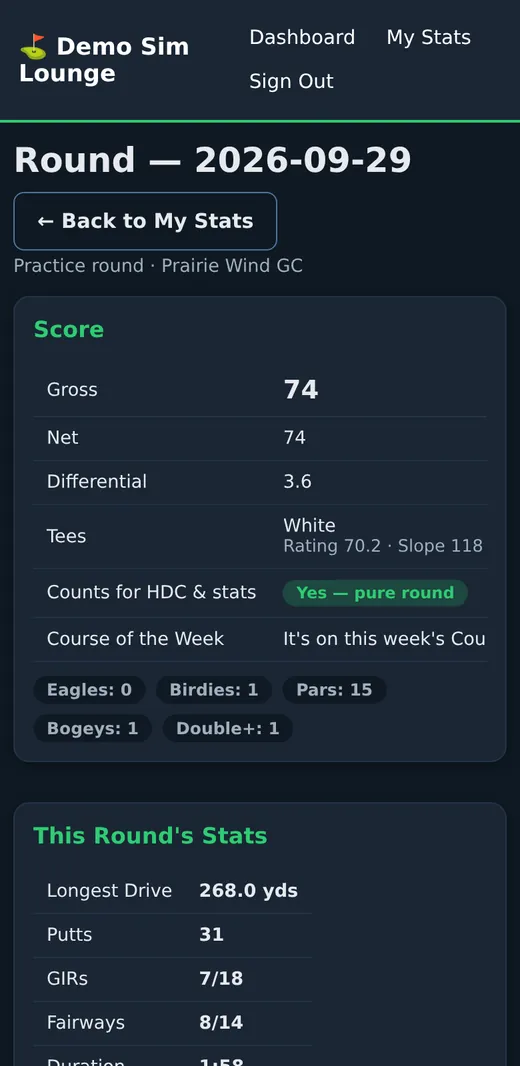
The round is read, checked and posted
Hole by hole, against the card's own totals. A round that breaks a rule still saves to the member's history — it just counts for nothing, and the message says which setting to fix.
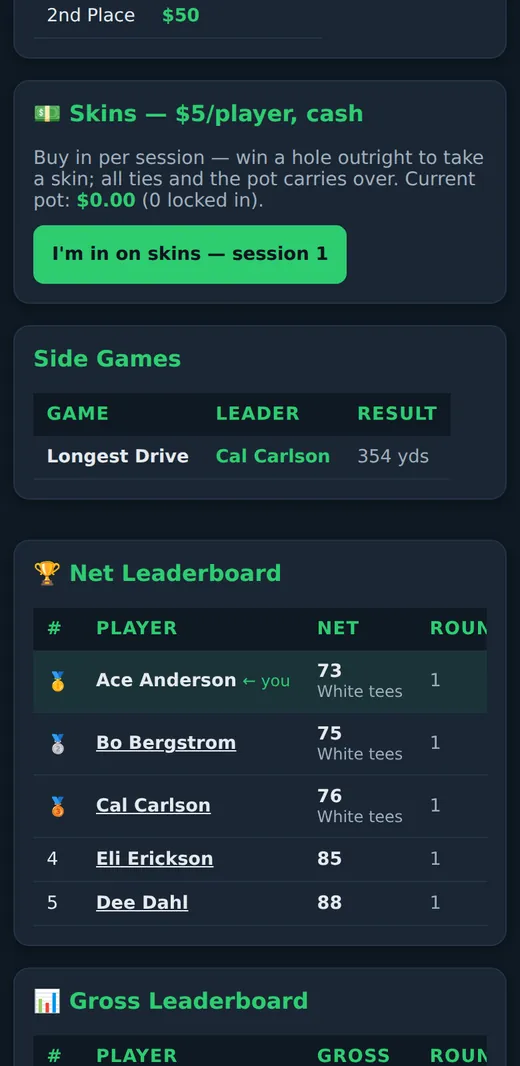
The leaderboard moves
Net and gross boards, skins, side games, cuts, matchups, brackets — whatever the format needs. Members see it on their phone the moment the round posts.
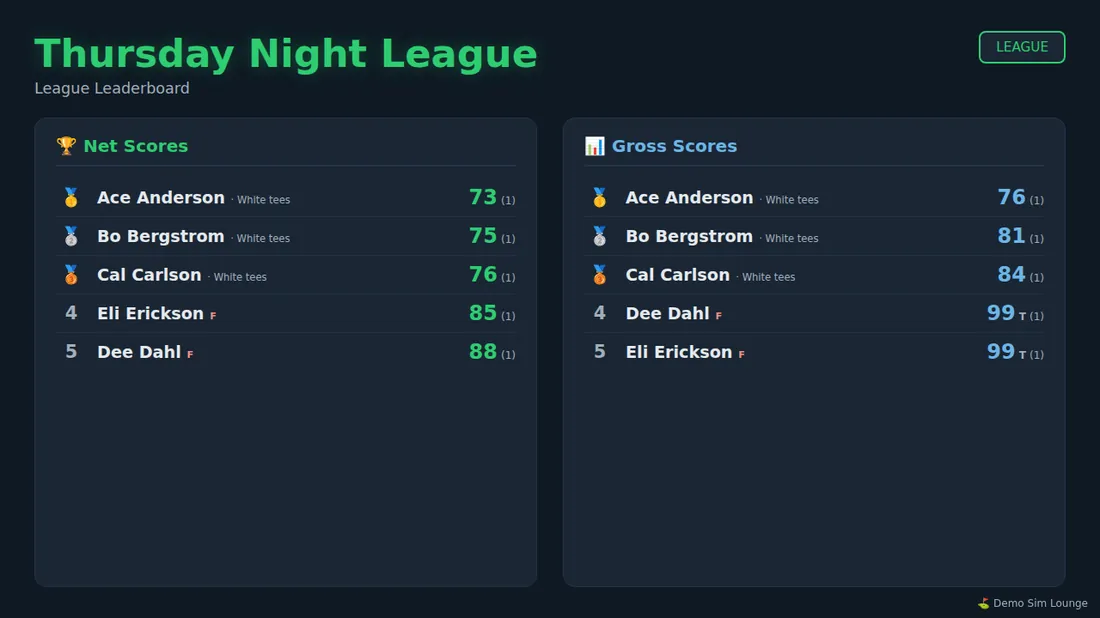
The TV in the lounge shows it all
One address on any browser plugged into a TV. It rotates the leaderboards, the records wall, Course of the Week and upcoming events, and reloads itself when we update the software.
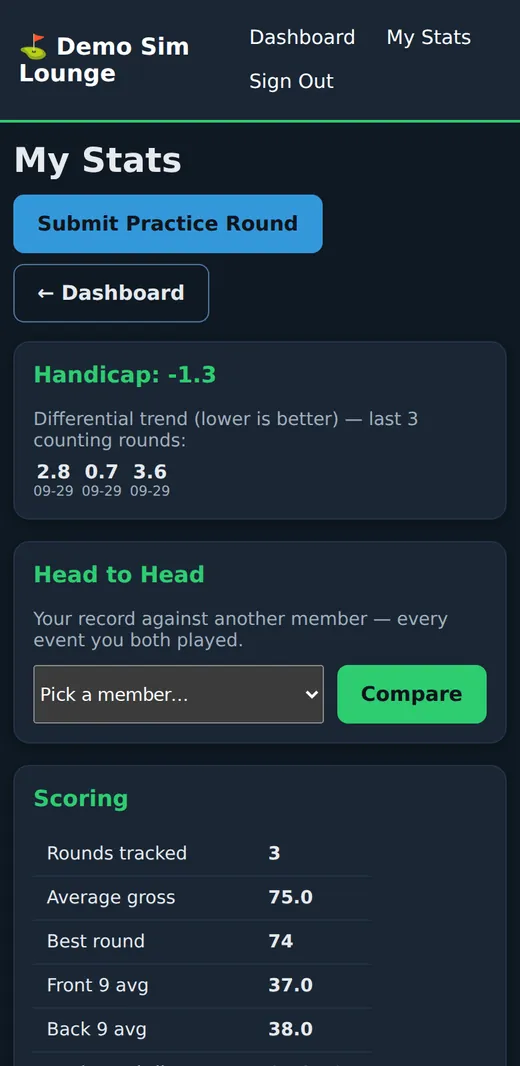
Every member has a golf record
Handicap and its trend, scoring and ball-striking stats, personal records, course records and head-to-head against anyone at the facility.
A photo of the scorecard. That is the whole system.
Nothing goes on your simulator PCs. There is no plugin to put back after a GSPro update and nothing for a member to type.
- The card has to be a real round of golf — 9 or 18 holes of par 3 to 6 that add up to its own totals
- A round is never failed on one read — a line that looks wrong gets a second look, and a third if the two disagree
- Any course works — if it is not in the shared library yet, it is built from the card, with a rating worked out from the yardage until you type the real one
- 9-hole rounds count — front or back nine, each turned into an 18-hole differential the World Handicap System way
- You can always fix it — a member can rescan for 24 hours; you can rescan, read the stored photos again or delete any round, and every change is on record
A simulator handicap members can trust
The index is worked out the World Handicap System way. What makes it fair is the pure-round rule: a round counts only when it was played under the same settings as everyone else's.
- The settings are read off the card — nobody has to police them
- Course handicap from the tee actually played; forward tees for the members you clear
- Each event can add its own hard rules: tees, pins, stimp, wind and more
- A member who plays real golf too? You type their USGA index for real-course events
Every format, scored by the book
Each format follows the Rules of Golf and the Rules of Handicapping, with the recognised ways to play it as choices you make — never one generic "team" mode.
- Stroke play or Stableford; best scores of the season count
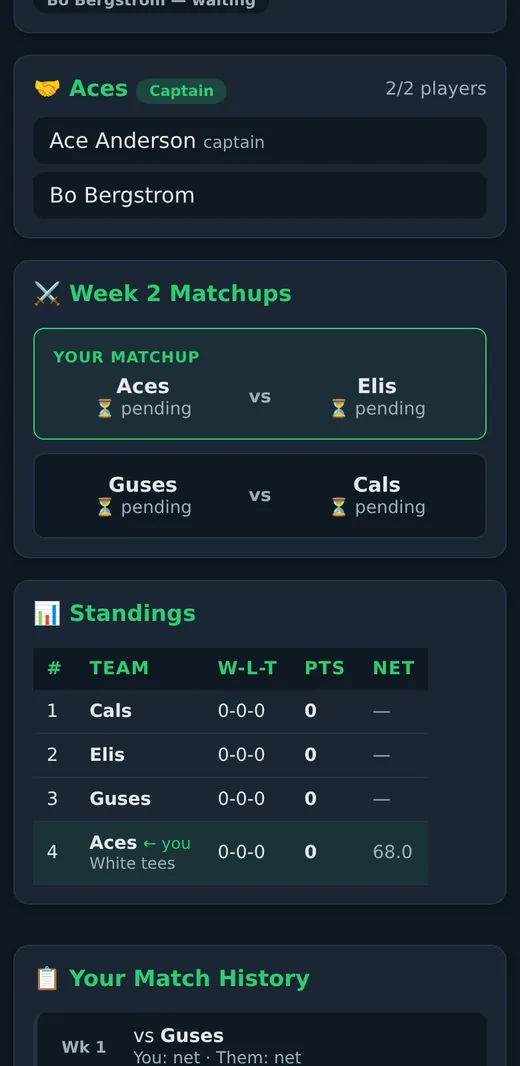
- Team leagues with weekly matchups, standings and substitutes under your sub rules
- Seasons that add up points across events
- Cash skins and side games: longest drive, closest to the pin
- You can override any score, tie, cut or winner — shown on the page and logged
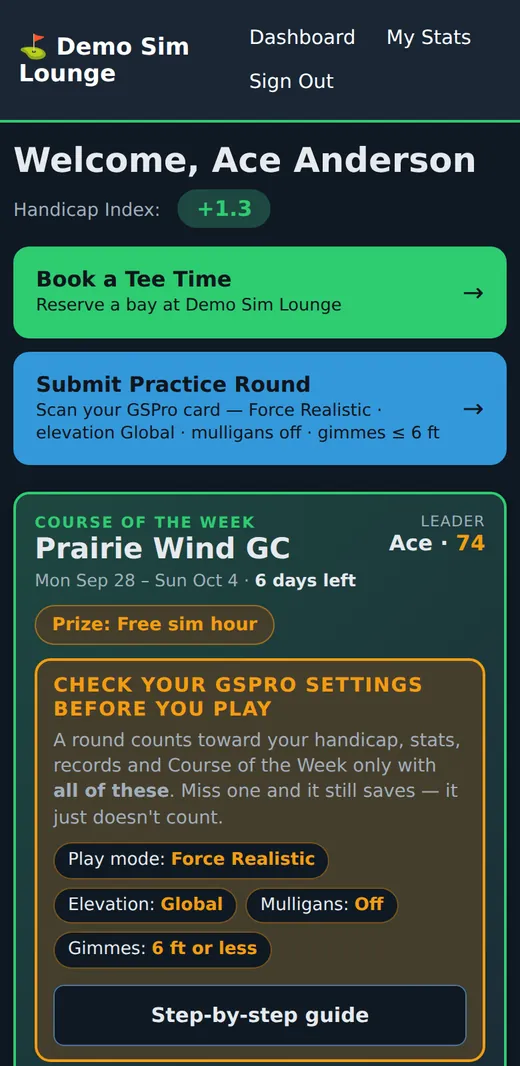
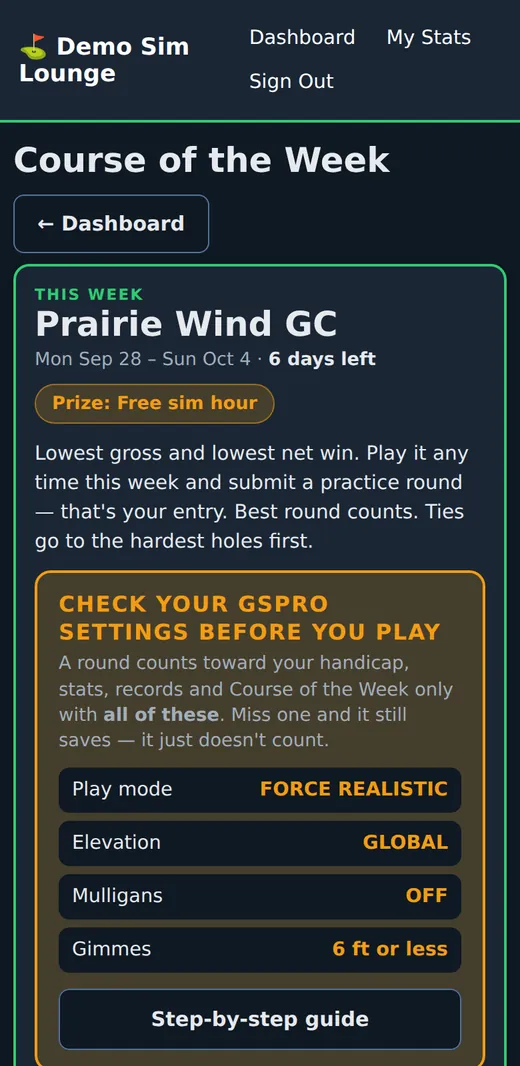
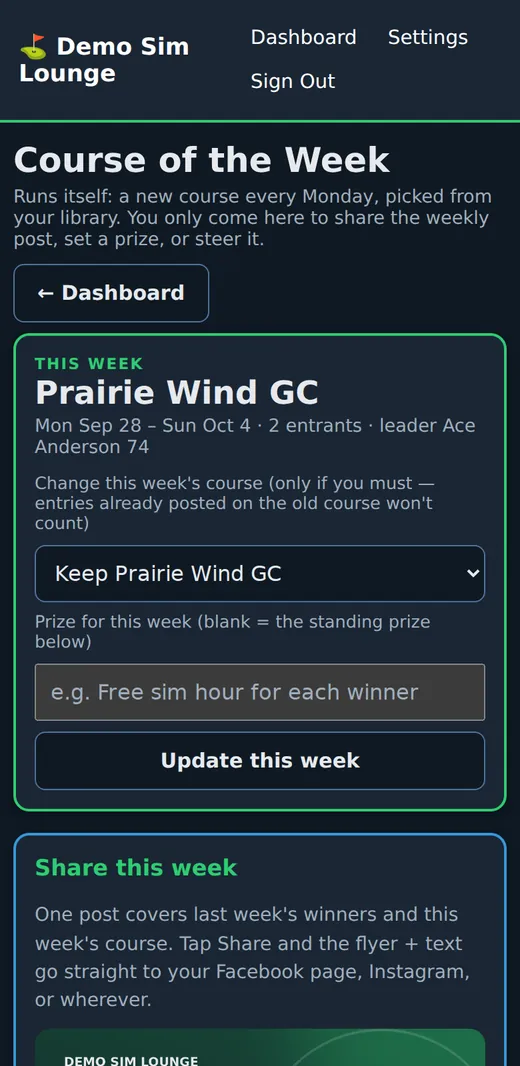
A new contest every Monday, with nothing for you to do
Course of the Week is the reason a member books a bay on a slow afternoon. Here is exactly how it works.
- Monday: a course is picked for the week from the courses your members have really played — or you choose it, line up the next ones, or keep a course out of the draw
- All week: members play that course any time and submit it as a practice round. That is the entry — nothing to sign up for
- Two winners: lowest gross and lowest net. Net is for members with 8 counting rounds, so the handicap is a real one
- Same course, same tee: the round has to be on the week's course; a member you cleared for forward tees plays their tee and the board shows it
- Ties go to the better score on the hardest holes
- Only pure rounds count, and every member is told where their round stands — or why it is not on the board
- Sunday night: the winners are posted to the Clubhouse feed and the next course is up
You set the prize — a free sim hour is a popular one. Each week comes with a flyer, a public page you can post on Facebook and a slide on the TV board.
Names on the wall
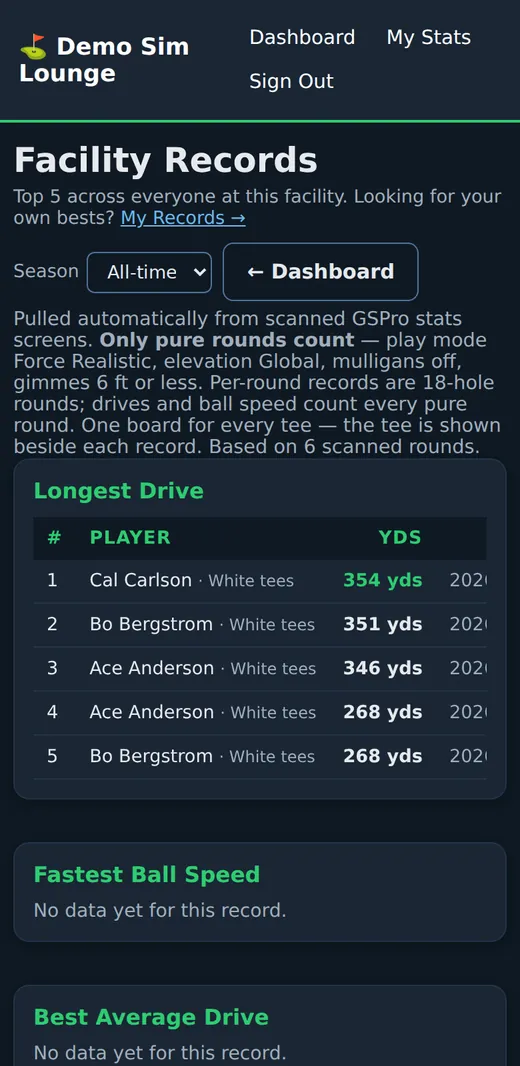
Records are pulled from the scanned stats screens — nobody writes them on a whiteboard, and nobody argues about them.
- Facility records, top five on each board, by season or all time
- Longest drive, average drive, fastest ball speed — from every pure round, 9 holes or 18
- Putts, pars, birdies, greens, fairways and scoring — from 18-hole rounds
- Course records for every course and tee
- My Records and head to head for every member
The lounge's scoreboard
Put one address on any screen with a browser. It needs no remote and no refresh.
- Leaderboards of every active event, in turn
- The records wall and Course of the Week
- Upcoming events with a QR code to sign up
- Your own ad images — sponsors, specials, the menu
- Its own colours if you want the TV to look different from the phone pages
Sign-up, fees and teams without the front desk
- Members join from a QR code or a link — open to all, with a code, or with your approval
- Fees by card through your own Stripe account, per player or per team; or mark cash at the desk
- Captains build teams by invite; players can ask to join a team
- Temporary members for a visitor or a trial week
- E-mail notices — a new event, a deadline coming, this week's matchups, password resets — sent with your own Resend account (free up to 3,000 a month)
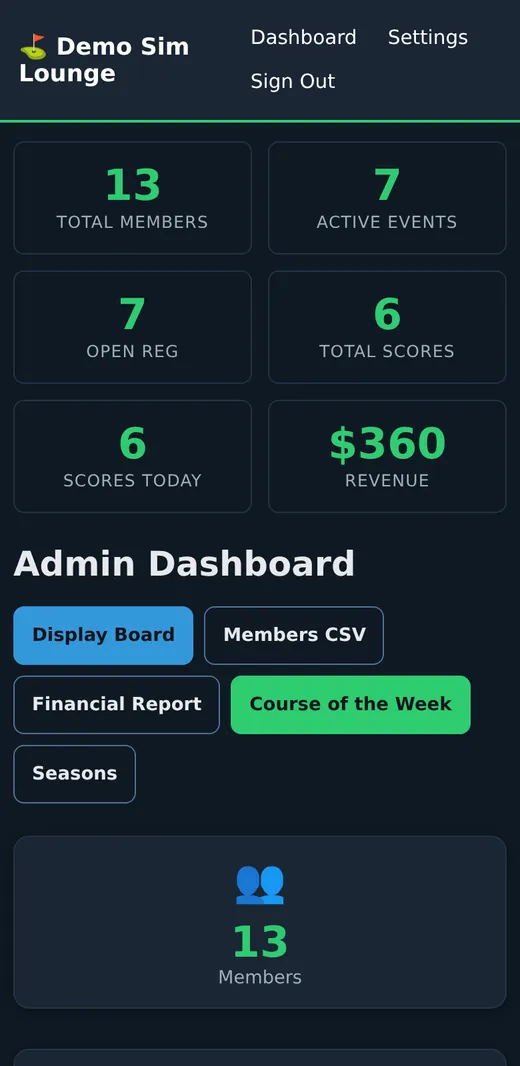
- Members list and a financial report to download
It looks like your place, not ours
- Your name and logo on every page, the TV board, flyers and share images
- Pick a look from the ready-made themes or set your own colours — each one is checked so the text stays readable
- A "Book a tee time" button that goes to your booking page
- The Clubhouse feed: rounds members choose to share, and one-tap sharing to Facebook
- Printable flyers and sign-up cards with a QR code

Set up in an afternoon
Sign up
Facility name, your name, e-mail, phone, a username and a password. No card.
Make it yours
Name, logo and the look of your pages. Add your Stripe key if members will pay by card.
Add members
Print the sign-up card with the QR code, or add members yourself.
Start a league
Create the event, open registration, put the board on the TV.
Try Facility Pro free for 2 weeks
Set up your facility, add your members, run a league and put the board on your TV. Nothing to pay today and no card needed.
One free trial per facility owner. We write to you before anything is locked or deleted.